Nomploy vs. Dokku
Both platforms let you self-host applications on your own server. But they take fundamentally different approaches—GUI-first vs. CLI-first—and that shapes everything about the experience.
Nomploy
For teams that want a visual, full-featured deployment platform with a polished UI, built-in monitoring, database management, multi-server support, and team collaboration—choose Nomploy.
Dokku
For experienced developers who prefer a CLI-driven, Heroku-like PaaS that's minimal and scriptable, with a plugin ecosystem for extending functionality—choose Dokku. Trade-offs include fewer enterprise features and integrations.
A Nomploy vs. Dokku comparison for growing teams
Choose Nomploy if you want complete control over your infrastructure with a simpler way to manage apps, databases, and multiple servers.
Nomploy vs. Dokku at a glance
Read our comprehensive Nomploy vs. Dokku comparison before you make your decision.
| Feature | Nomploy | Dokku |
|---|---|---|
| Setup & Installation | ||
| One-command installation | ||
| Web-based UI dashboard | ||
| Works with firewall and Tailscale out of the box | ||
| Lightweight CPU usage while idle | ||
| Deployment | ||
| Deploy from GitHub, GitLab, Bitbucket | Limited | |
| Auto-deploy on git push | ||
| Docker Compose support | Limited | |
| Deploy from custom Docker images | ||
| Nixpacks and Buildpack support | ||
| Preview deployments (review apps) | ||
| One-click app templates | ||
| Networking & Domains | ||
| Built-in reverse proxy | ||
| Automatic SSL via Let's Encrypt | ||
| Custom domain management via UI | ||
| Data & Backups | ||
| Database deployment (Postgres, MySQL, Redis, etc.) | ||
| Scheduled database backups (S3) | Limited | |
| Back up arbitrary Docker volumes | ||
| Monitoring & Alerts | ||
| Real-time monitoring (CPU, RAM, disk) | ||
| Metrics enabled by default | ||
| Automated alerts from metrics | ||
| Application log viewer in UI | ||
| Teams & Access | ||
| Teams and multi-user support | ||
| Role-based access control (RBAC) | ||
| Projects grouping | ||
| Multi-server deployment | ||
| API access | ||
| AI-assisted deployments | ||
Why you should go with Nomploy
Skip the CLI, ship from a dashboard
Dokku requires SSH access and CLI commands for every operation—deploying, scaling, configuring domains, managing databases. Nomploy puts all of that in a visual dashboard. Connect your repo, configure your service, and deploy—all without touching a terminal. You still get full Docker access when you need it.
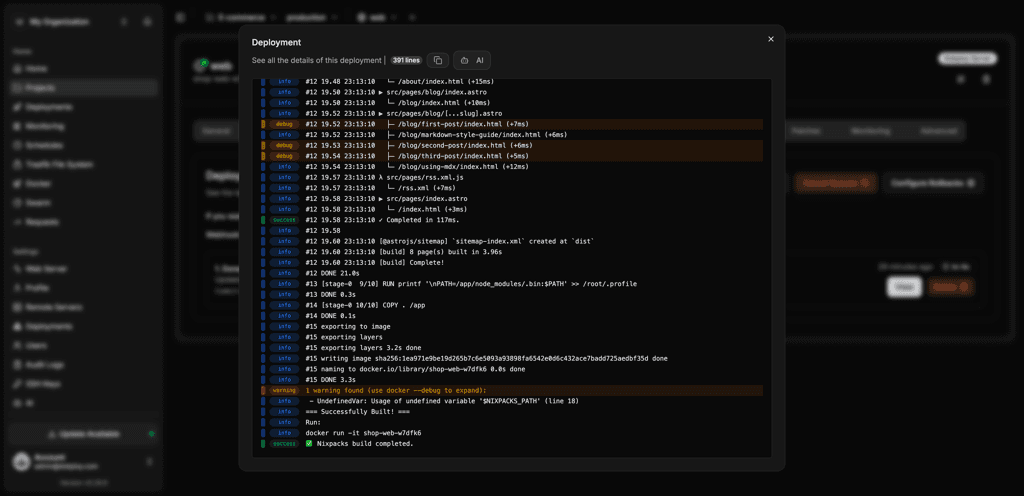
Get monitoring and backups out of the box
Dokku has no built-in monitoring or backup system—you'd need to set up separate tools and cron jobs. Nomploy includes real-time CPU, memory, and disk metrics, automated alerts, and scheduled S3-compatible backups for both databases and Docker volumes from day one.
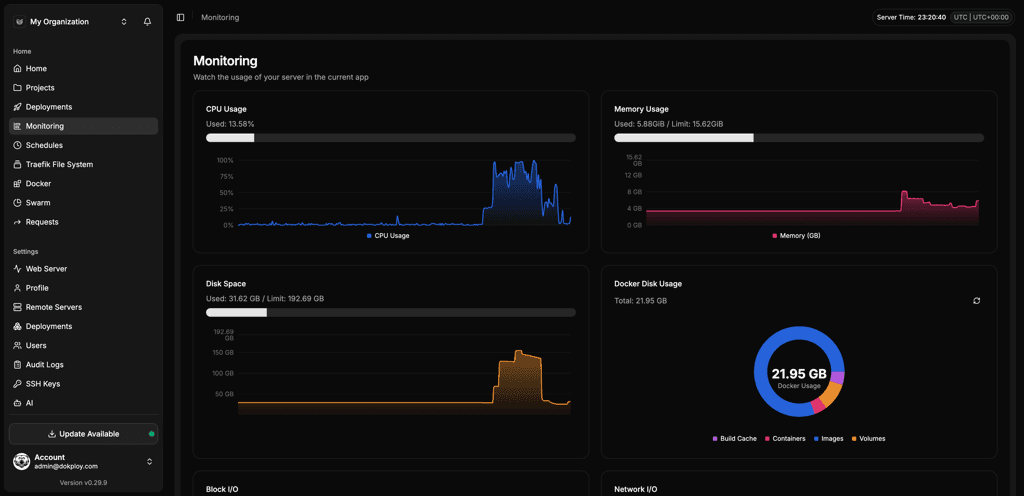
Built for teams, not just solo operators
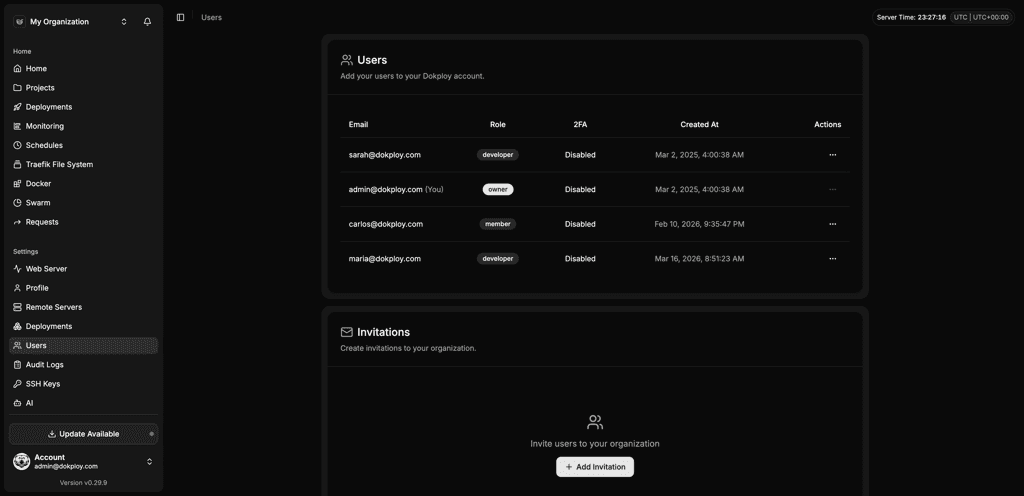
Dokku is fundamentally a single-server, single-user tool. Nomploy supports multi-user access with role-based permissions, project organization, and multi-server deployments. When your project grows from a solo effort to a team operation, Nomploy scales with you.
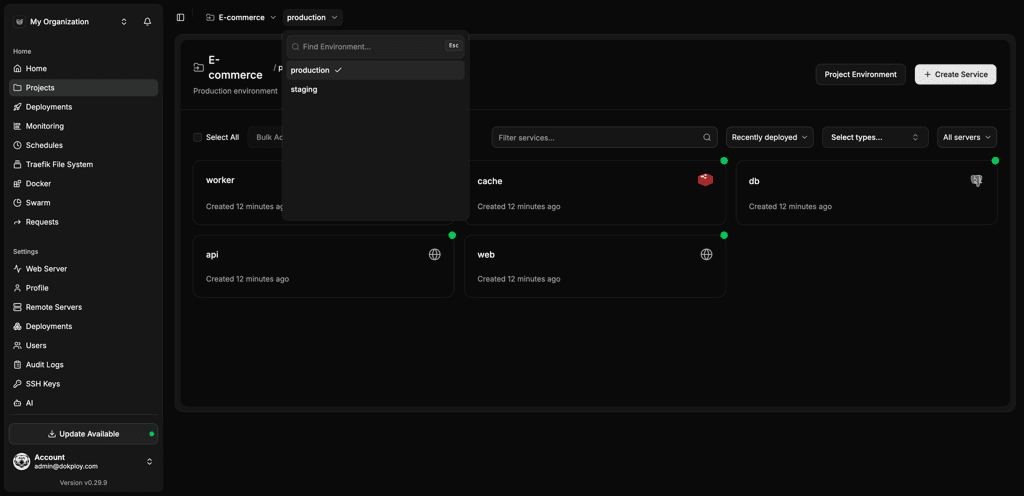
Manage everything in one place
With Dokku, databases, SSL, and domains each require separate plugins and CLI commands. Nomploy integrates database management, domain configuration, SSL certificates, Docker Compose, and deployment pipelines into a single, cohesive interface—reducing context-switching and operational overhead.
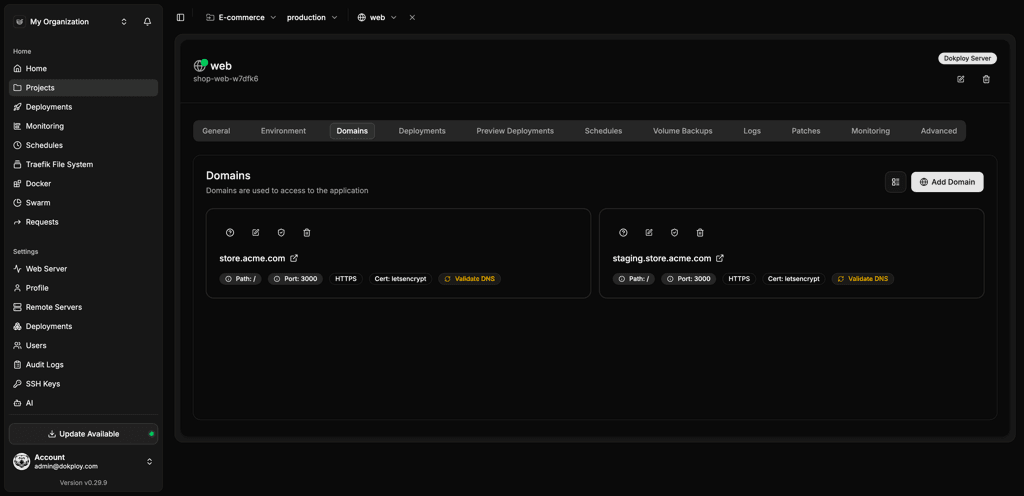
Give teams more control over access
Nomploy gives teams built-in role-based access and project organization in the UI, so you can manage services, databases, and infrastructure as you grow across multiple servers—with the right level of oversight for developers seeking control without handing out broad server access. Dokku user access starts at the SSH key level. More granular control for users with specific needs depends on extra plugins or tooling.
Nomploy integrates with the leading solutions
When it comes to a Nomploy vs. Dokku comparison, you want the self-hosted PaaS that syncs with the tools in your workflow.
| Category | Nomploy | Dokku |
|---|---|---|
| Git providers | GitHub, GitLab, Bitbucket, Gitea, Git Generic | Git push via SSH |
| Build and deployment systems | Docker, Docker Compose, Nixpacks, Heroku Buildpacks, Paketo Buildpacks, Railpack | Docker, Heroku Buildpacks (via plugins) |
| Notifications and communication | Slack, Mattermost, Telegram, Discord, Lark, Microsoft Teams, Email (SMTP), Resend, Gotify, Ntfy, Pushover, Webhook | None built-in |
Why Nomploy is perfect for teams of any size
Whether you've outgrown Dokku's CLI-only workflow or you're choosing your first self-hosted PaaS, Nomploy gives you the visual interface, team features, Docker Compose support, and built-in tooling that Dokku relies on plugins and shell scripts for—all in one cohesive platform.
Unlock Your Deployment Potential with Nomploy Cloud
Say goodbye to infrastructure hassles—Nomploy Cloud handles it all. Effortlessly deploy, manage Docker containers, and secure your traffic with Traefik. Focus on building, we'll handle the rest.
Create an account